The Benefits of Rapid Software Prototyping in Development Processes

Rapid Software Prototyping: From Idea to Market‑Ready MVP
Introduction: Why Rapid Software Prototyping Matters in 2026
Rapid software prototyping has become the backbone of competitive product development in 2026. AI-assisted development tools now generate UI layouts from natural-language prompts, tighter budgets force leaner validation cycles, and release windows keep shrinking. For teams building products that combine software with physical hardware-IoT gateways, medical instruments, robotic controllers-getting the digital experience right before committing to tooling is no longer optional.
This article explores rapid prototyping in software development from the perspective of Anebon Metal Products Limited, a precision OEM manufacturing partner. Because when software interfaces must live inside CNC-machined aluminum housings or die cast enclosures, what happens on screen and what happens on the shop floor need to move in lockstep.
The development process flows from sketching an idea quickly through interactive prototypes, into a minimum viable product, and finally toward a market ready product. Along the way, the goal is simple: learn fast, spend wisely, and ship confidently.
Key points at a glance:
Accelerated feedback loops across software, UX, and manufacturing teams
Reduced risk of mismatch between software UX and physical hardware form factors
Cost savings from catching design flaws before full hardware tooling
Shorter time-to-market even in regulated industries
Stronger stakeholder alignment from the drawing board to production
What Is Rapid Software Prototyping?
Rapid software prototyping is an iterative development approach that produces a working model of an application in days or weeks instead of months. Rather than locking requirements, writing exhaustive specs, and building in a linear sequence, teams create early versions of the digital product, test them, learn, and iterate. The process involves three key steps: prototyping, testing, and refining designs through rapid repeated cycles to increase software maturity. The goal is to maximize learning with minimum effort in prototyping.
For OEM products-medical devices, robotics, industrial machinery-software prototypes must align with physical enclosures, PCB layouts, and CNC-machined parts from the start.
Defining characteristics:
-
Speed: prototypes built in days to weeks, not quarters
-
Iteration: multiple rounds of user feedback and refinement before full scale development
-
Variable fidelity: low fidelity sketches through high fidelity interactive demos, chosen by what needs validating
-
Cross-disciplinary: software engineers, UX designers, mechanical engineers, and manufacturing teams collaborate early
-
Validation-driven: each prototype answers a specific question-usability, technical feasibility, hardware fit
-
Risk mitigation: catch investment waste before it compounds
How Rapid Prototyping Fits into the Software Development Process
The rapid prototyping process sits in the early phases of the product development process: discovery → concept → prototype(s) → MVP → scalable product. Prototyping can take from 1 to 12 weeks depending on complexity, though most teams produce usable artifacts in 1 to 8 weeks.
Here is a practical loop that any engineering team can follow:
-
Sketch the idea quickly – map user flows, navigation, and rough hardware layout on paper or a whiteboard.
-
Build a low fidelity prototype – basic wireframes to validate structure, screen hierarchy, and rough alignment with physical enclosures.
-
Test with real users and stakeholders – gather feedback from end users, hardware engineers, and manufacturing partners. Prototypes are shared quickly with users to gather immediate feedback.
-
Refine into a high fidelity prototype – add branding, real data connections, transitions, and conditional logic.
-
Decide MVP scope – choose core features plus hardware attributes (enclosure type, display, connectors) essential for launch. Faster idea validation can save significant costs and time in development.
This development approach demands tight collaboration. Product managers, UX designers, software engineers, and-in Anebon’s case-mechanical and manufacturing engineers all need seats at the table from the early stage.
Concrete examples: In 2025, an industrial IoT team prototyped a floor-plan dashboard while CNC-machined gateway covers were produced in parallel to test panel alignment. A 2024 medical device interface paired touchscreen UI mockups with a front panel housing machined to validate bezel fit and cleanability. An automotive HMI panel integrated high fidelity mockups running on a simulator with aluminum bezels milled to confirm visibility angles and button positions.
Types of Software Prototypes: From Low Fidelity to High Fidelity
Fidelity in software prototyping refers to how closely a prototype resembles the final product in visual design, interaction richness, and connection to real data or hardware. Prototypes range from low-fidelity to high-fidelity, each answering different questions at different costs. Types of prototypes include proof-of-concept and user experience prototypes.
Low-Fidelity Prototypes
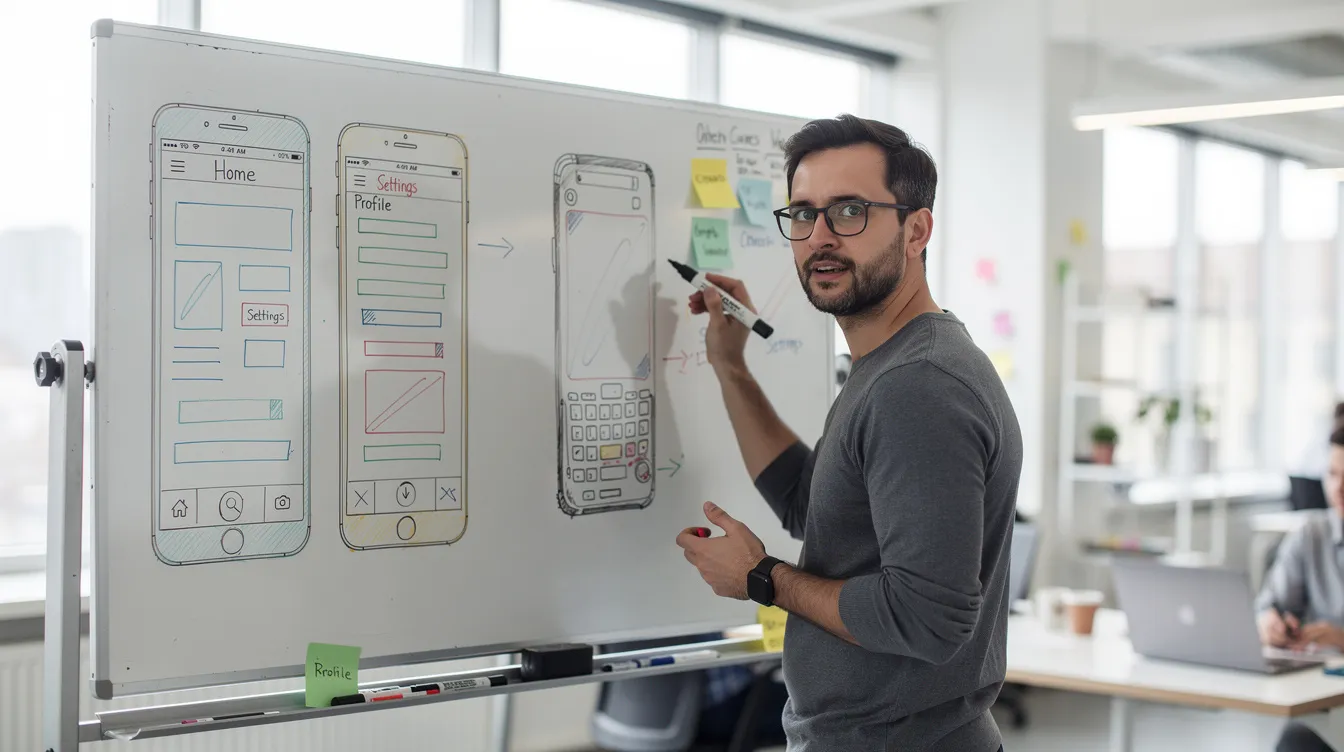
Low fidelity prototypes are quick, inexpensive artifacts: whiteboard rough sketches, paper flows, or basic wireframes in Figma or Balsamiq with grayscale boxes and placeholder text. Low-fidelity wireframing focuses on structure rather than visual design. These are simple diagrams of layout and functionality-deliberately rough so teams can iterate quickly without attachment.
Effective techniques for rapid prototyping include sketching and wireframing. Paper sketching allows for rapid filtering of design ideas before any code is written. Initial drafts of prototypes can be simple sketches or wireframes. Low-fidelity prototypes are inexpensive and easy to modify, making them ideal for wire framing sessions in the ideation phase.
Example: A robotics OEM in early 2025 sketched a control app UI for a new CNC-loaded robot cell. Different layouts for joystick vs. touch control were explored on paper alongside rough drawings of emergency stop and status indicator placement-no code, with minimal investment, maximum learning.
Use low fidelity when design is fluid, when many screen flows are candidates, and when the user interface hardware (buttons, screen size) is not yet finalized.
High-Fidelity Prototypes and Interactive Demos
High fidelity prototypes are near-final screens with colors, typography, brand elements, and clickable flows. They closely resemble the final product in look and feel, making them suitable for usability testing with potential users, leadership sign-off, and pre-sales demos.
Interactive prototypes can include micro-interactions, conditional logic, and simulated data. Figma is an industry standard tool for creating interactive prototypes, alongside Sketch and Adobe XD. High-fidelity prototypes help test overall design and user experience before committing to full development.
Typical screens and interactions to showcase:
-
Dashboard overview with machine metrics, temperature values, cycle times
-
Alert configuration and threshold settings
-
Error dialogs with confirmation flows
-
User role management and access controls
-
Live preview of how a hardware front panel or display size accommodates UI elements
Example: A 2025 CNC machine monitoring dashboard prototype displayed heat maps, alarm states, and OEE metrics in a clickable demo that let stakeholders provide feedback on layout before any backend code was written.
Functional Prototypes and Minimum Viable Products (MVPs)
A functional prototype runs on real code and may connect to actual hardware-sensors, PLCs, CNC controllers. Throwaway prototyping is a rough model discarded after gathering user requirements, while evolutionary prototyping refines a small model into the final product over successive iterations.
Low-code platforms enable building functional prototypes with minimal coding. No-code tools like Bubble enable quick prototype creation for internal dashboards or admin interfaces. Creating a functioning prototype helps secure buy-in from stakeholders and provides a greater understanding of technical risk before full scale development.
A minimum viable product takes this further: a fully functional, market ready version focused on the smallest set of core features delivering real value to early customers.
Example: A 2024 MVP for a cloud-based production monitoring app showed only machine status, OEE, and alerts-leaving advanced analytics for future development. Parallel hardware: pilot enclosures were CNC-machined to accommodate displays and connectors, matching the software’s UI layout for physical buttons and indicators.
Tech Stack and Design Tools for Rapid Software Prototyping
Choosing the right tools determines how fast you can move from concept to working model. Prototyping tools can create models in 1 to 8 weeks depending on scope and fidelity. Here is a grouped overview of the design tools and platforms development teams rely on:
-
Design / wireframe tools: Figma, Sketch, Adobe XD, Axure-for basic wireframes through pixel-perfect high fidelity prototypes. Real-time collaboration and component libraries are now standard.
-
No-code / low-code platforms: Bubble, Webflow, FlutterFlow, Retool-for rapidly building interactive prototypes, internal dashboards, and admin tools without custom backend code. Ideal for market validation with minimal investment.
-
Developer-focused stacks: React with Vite, Next.js, Vue.js for lightweight frontends; Firebase, Supabase, AWS Amplify for authentication, storage, and real-time features. For industrial IoT, add MQTT brokers, edge gateways, and time-series databases. One case study: SignalForge’s platform handles telemetry from 12,000+ devices with ingestion throughput of approximately 8,000 messages per second.
-
AI-assisted tools: Code copilots and design generators are increasingly used in 2024–2026 to accelerate layout, boilerplate code, and test generation. AI can automate 60% of software prototyping tasks, dramatically reducing time consuming manual work. However, teams must manage security risks and code quality governance.
-
Simulation and digital twins: For hardware-integrated software applications, teams rely on simulation tools and test rigs that mimic CNC machines, robotic cells, or sensor arrays before connecting to real equipment-bridging the gap until physical prototypes arrive.
Benefits of Rapid Software Prototyping for OEM and Industrial Products
Rapid prototyping reduces time-to-market significantly, especially in industries where software must work seamlessly with precision hardware. It allows for quick user feedback on designs and helps identify design flaws early in the process, reducing the risk of costly revisions later. Rapid software prototyping allows for early feedback and accelerated development cycles that keep delivery timelines tight.
Feedback is gathered after testing prototypes with users, and service blueprinting visualizes the entire customer experience during prototyping-both practices that provide insight into user needs long before production begins.
Concrete outcomes for OEM teams:
-
Shorter time-to-market: parallel software and hardware prototyping catches misalignments between UX and physical form factor early, reducing time to market by weeks or months
-
Reduced rework: validating display cutouts, button positions, and wiring harness routing with prototype enclosures avoids costly scrappage of tooling
-
Better user centric design: usability testing with real users and field engineers keeps the product grounded in real operational user requirements and user expectations
-
Clearer stakeholder communication: physical mockups paired with interactive prototypes make the product vision tangible-far more persuasive than spec documents for informed decisions
-
Cost savings: one case study showed a dashboard of 10,269 lines of code built in 28 minutes, saving approximately $83,400 and 93 days versus a typical agency build
-
Improved DFM: baking manufacturing constraints into the initial prototype ensures enclosures remain cost-effective at scale
-
Regulatory readiness: for medical and aerospace sectors, early prototyping that considers material traceability and surface finish avoids certification delays
Rapid Prototyping for Software–Hardware Integration at Anebon
Anebon Metal Products Limited, founded in 2010 in Dongguan, China, serves as a precision manufacturing partner for companies developing software-driven hardware products. Capabilities span CNC machining, die casting, and sheet metal fabrication with tolerances as tight as ±0.002 mm.
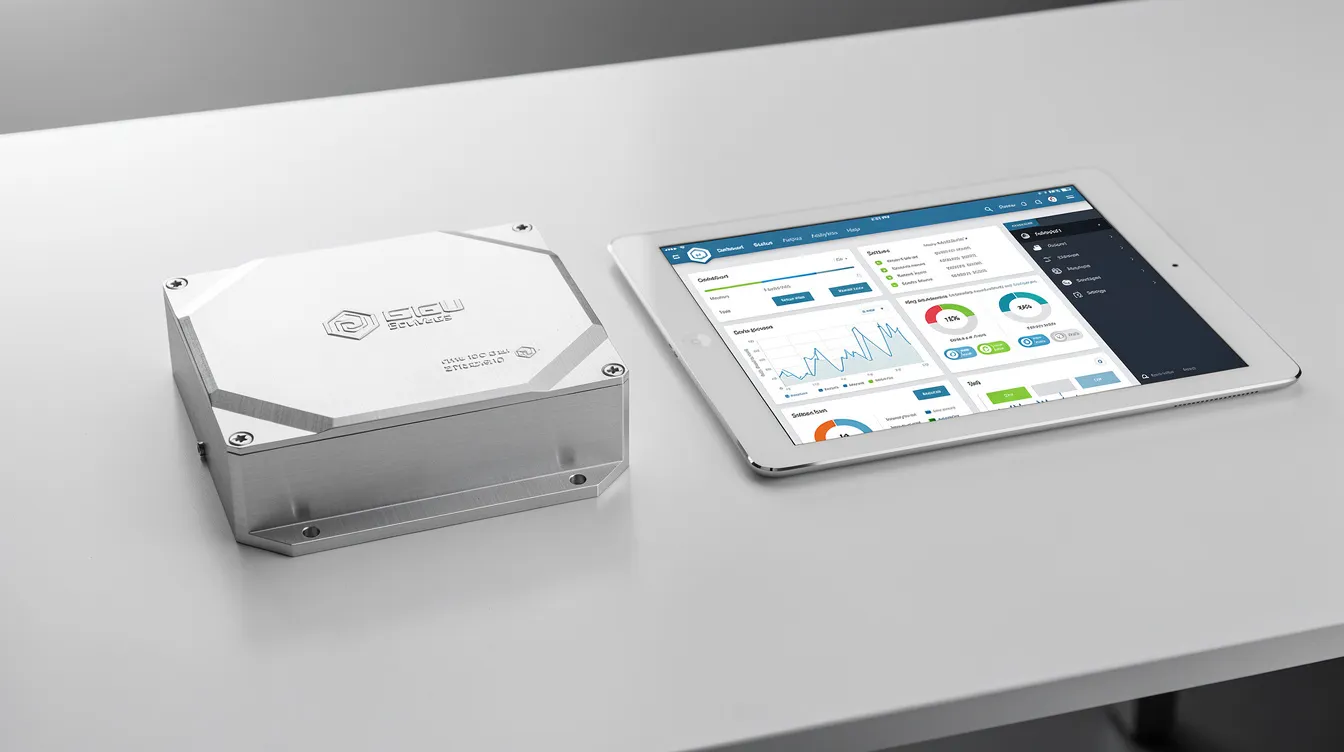
Here is how a typical joint workflow unfolds: the software team builds an interactive prototype defining port layouts, LED locations, display windows, and connector groupings. Anebon produces matching enclosures to validate fit, ergonomics, and thermal behavior-often within days.
Sample scenarios:
-
2025 industrial IoT gateway: software prototype defined port layout and indicator windows; Anebon machined an aluminum housing with ±0.002 mm critical dimensions for mounting holes and gasket sealing surfaces; both prototypes installed and tested for thermal and vibration behavior
-
2024 robotics controller box: front bezel required precise alignment for touchscreen and physical buttons; the software mockup defined dialog boxes and button travel; housing prototyped in sheet metal, refined after field testing
-
Medical device chassis: biocompatible materials, smooth surfaces, easy cleaning; touch display required no gap or sharp edges; CNC prototypes validated sealing, optical clarity, and software alignment with screen boundaries
Anebon’s ISO 9001:2015 and ISO 14001:2015 certifications ensure consistent quality management and environmental compliance across every iteration-from one-off prototype to full OEM production.
CNC Machining and 5-Axis Prototyping for Device Interfaces
CNC milling and 5-axis machining rapidly produce bezels, front panels, and complex housings that host displays, buttons, and connectors defined in software UI designs. Precise machining ensures that touchscreen sizes, button spacing, and connector locations match the interactive designs exactly.
-
Materials: aluminum alloys (6061, 7075), stainless steel (304, 316L), titanium for aerospace, engineering plastics like PEEK
-
Tolerances: ±0.1 mm general; ±0.05 mm precision interfaces; ±0.01 mm or tighter for sealing and mating surfaces
-
Surface finish: Ra 0.8 μm for functional surfaces; Ra 0.2–0.4 μm for optical or display areas; anodizing and powder coating available
-
Turnaround: moderate-complexity enclosures produced in days to one week
Rapid hardware iterations let product teams fine tune UI layouts and mounting strategies in parallel with UX refinements-keeping the entire development process synchronized.
Sheet Metal, Die Casting, and Enclosure Iterations
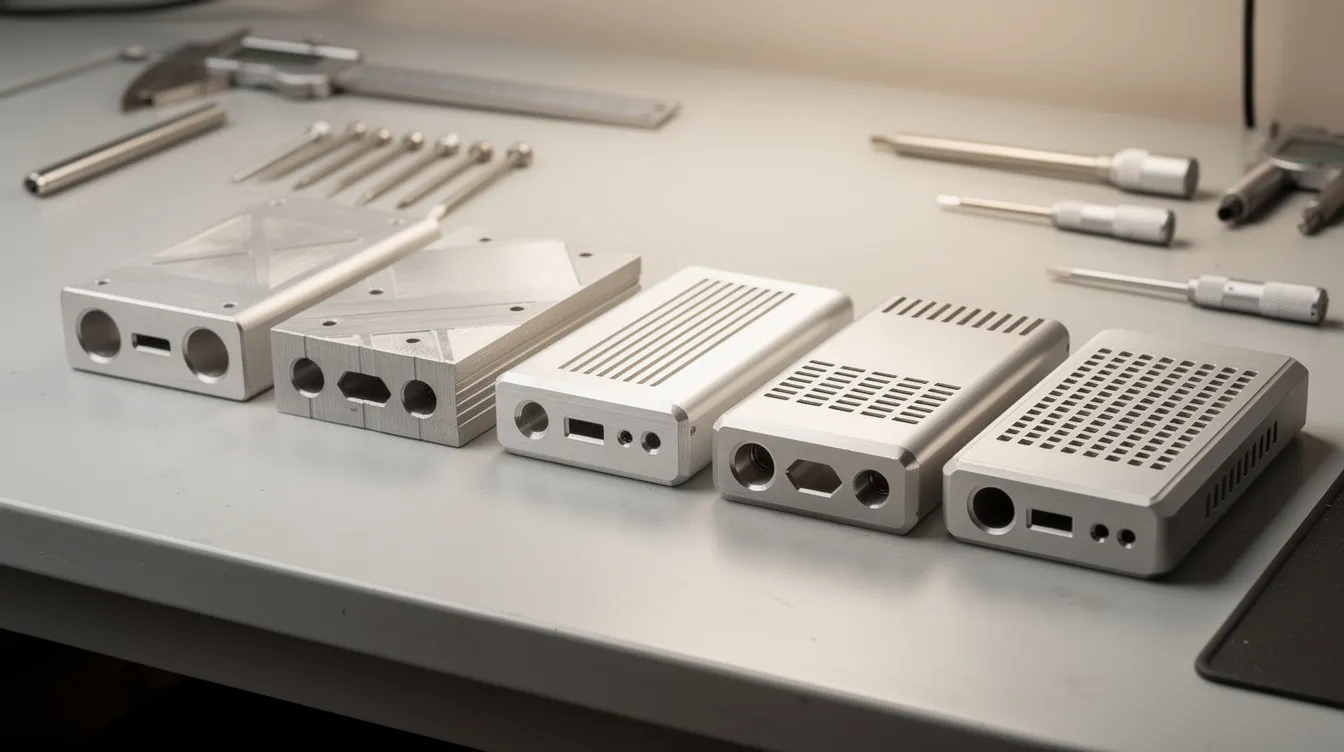
Sheet metal fabrication enables quick changes in enclosure geometry-cutouts, ventilation patterns, bends-responding directly to new features or user feedback from software prototype testing. It is lower cost per piece in small runs and easier to modify than cast parts.
Die casting becomes relevant when shapes stabilize and volumes scale beyond a few dozen units. Pilot die casts can be used for MVPs to test thermal, structural, and weight characteristics, with post-machining for critical surfaces.
DFM feedback from Anebon’s manufacturing engineers is integral at every stage, ensuring enclosures evolved during software prototyping remain cost-effective for the final product at scale.
Examples: An electronics OEM in 2024 iterated on a rack-mount unit front panel after revised software dashboard designs changed ventilation and connector groupings-sheet metal panels were updated within days. A 2025 automotive controller housing evolved after display requirements changed, with both die cast pilot parts and CNC machined prototypes assessed for cost and thermal performance.
Best Practices: Prototyping Your Software Idea Quickly and Effectively
This practical guide distills what works. The strategic approach is simple: start rough, validate early, increase fidelity only when you have a clear vision of what needs testing.
Checklist for your next rapid prototyping initiative:
-
Define upfront what each prototype must answer-feasibility, usability, technical risk, or stakeholder buy-in
-
Map hardware constraints (display, connectors, mechanical mounts) early, even during wire framing
-
Start with low fidelity to validate the user journey and key flows; avoid over-investing in visual design before core concepts are agreed
-
Use no-code platforms and design tools to produce interactive prototypes within 1–3 weeks for most B2B software applications
-
Establish frequent, structured feedback loops-users early, field engineers, production teams-to keep prototypes grounded in real operational needs and gather valuable feedback
-
When software controls or monitors physical equipment, test mechanical prototypes alongside software builds to validate cable routing, ergonomics, and serviceability
-
Apply DFM review from your manufacturing partner even at the wireframe stage-it is worth investing time here to avoid surprises later
-
Use version control and design system discipline to iterate quickly without locking into bad decisions
-
Test new ideas through throwaway prototypes before committing them to the product roadmap
From Prototype to Market-Ready Product with Anebon
Conclusion: rapid prototyping bridges the gap between a product vision and a market ready product. Once UX, flows, and integrations are validated through the development process, the transition to production-grade systems requires scaling infrastructure, hardening security, and moving from one-off parts to volume manufacturing.
Anebon supports this full arc: from CNC prototype parts to small pilot batches in sheet metal, to die cast production runs with surface treatments like anodizing, bead blasting, and electroplating. Having manufacturing constraints in view from the first interactive prototype-display size, bezel framing, thermal dissipation, mounting holes-helps avoid rework and keeps reducing time to market throughout the product lifecycle.
If you are a product leader, R&D team, or design engineer building a digital product that lives inside precision hardware, the most effective move you can make is aligning your software prototyping roadmap with mechanical and manufacturing plans from the start.
Ready to rapidly prototype your next product? Share your CAD files, preliminary UI layouts, and functional requirements with Anebon for DFM feedback and a rapid quote. The earlier you involve manufacturing in your development process, the faster your initial success translates into a scalable, market ready product.