Mastering Sheet Metal on SolidWorks: The Engineer’s Guide to Precision Fabrication
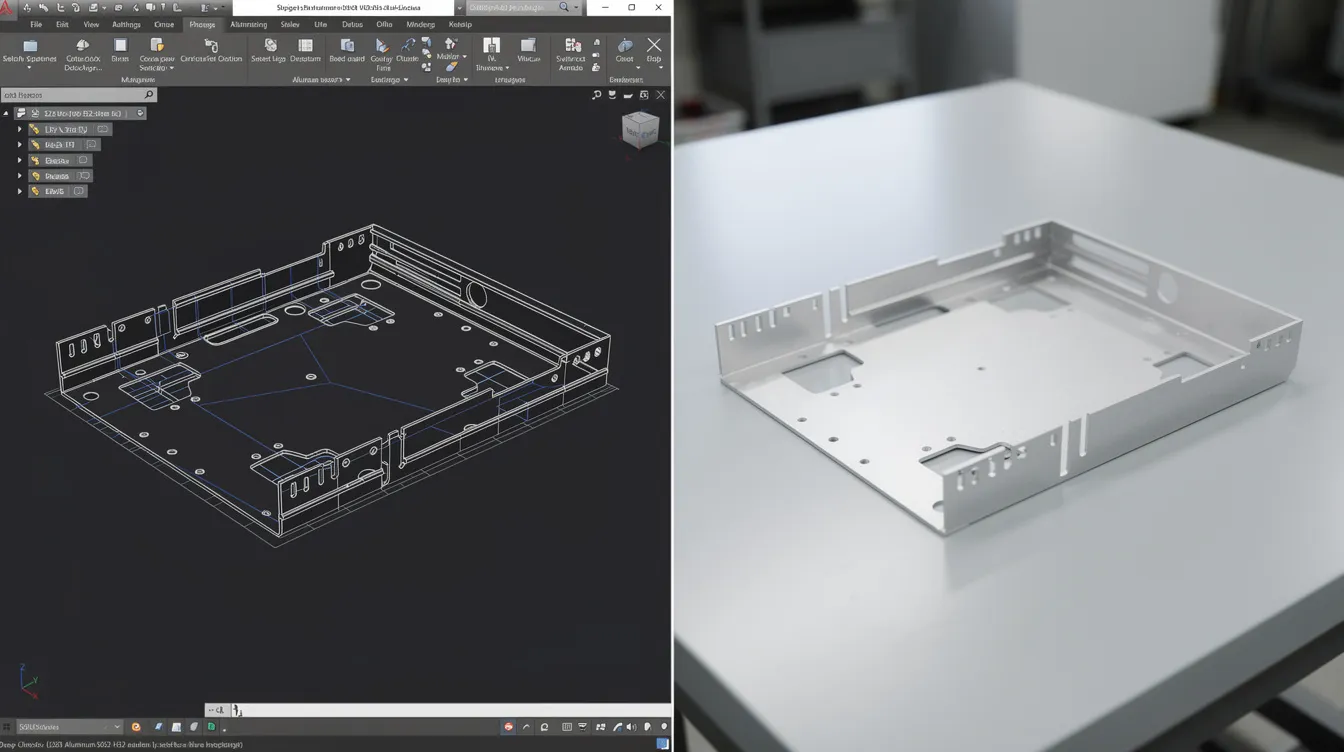
Mastering Sheet Metal on SolidWorks: The Engineer’s Guide to Precision Fabrication
Key Takeaways
-
Accurate K-Factor Calibration: Successful sheet metal design in SolidWorks depends entirely on the K-Factor, which determines how material stretches during a bend.
-
DFM-First Approach: Designing with real-world constraints—such as minimum bend radii and hole-to-edge distances—prevents material fracturing and tooling interference.
-
Flat Pattern Integrity: The ultimate goal of SolidWorks sheet metal tools is an accurate 2D DXF export that accounts for material thickness, bend deduction, and grain direction.
Introduction
In high-precision manufacturing, the gap between a 3D CAD model and a physical part is bridged by the physics of material deformation. Designing sheet metal on SolidWorks is not merely about creating thin-walled boxes; it is about simulating the mechanical behavior of alloys like Aluminum 5052 or Stainless Steel 304 as they undergo plastic deformation.
For procurement managers and mechanical engineers, the challenge lies in “designing for the press brake.” A model that looks perfect in a SolidWorks assembly may be impossible to manufacture if the bend radii are too tight or if the flat pattern doesn’t account for the specific K-Factor of the factory’s tooling. This guide provides the technical depth required to master SolidWorks sheet metal features, ensuring your designs are optimized for cost, structural integrity, and rapid production at facilities like Anebon.
What is Sheet Metal on SolidWorks?
Sheet metal on SolidWorks is a specialized toolset and design methodology used to create thin-walled parts that can be flattened into a 2D state for laser, waterjet, or plasma cutting. It utilizes mathematical algorithms to calculate bend allowance and bend deduction, ensuring that the final folded component matches the intended 3D dimensions after accounting for material stretching.
Core Concepts & Engineering Principles
To design effectively, an engineer must understand the “Neutral Axis.” When a metal sheet is bent, the inner surface undergoes compression while the outer surface undergoes tension. Somewhere between these two surfaces lies the neutral axis, which remains unchanged in length.
The K-Factor, Bend Allowance, and Bend Deduction
The K-Factor is the ratio of the neutral axis’s location to the material thickness ($T$). In SolidWorks, the default is often 0.5, but this is rarely accurate for real-world production. A K-Factor of 0.33 is common for sharp bends in harder materials, while 0.45 is standard for softer aluminum alloys such as 5052 and 6061.
-
Bend Allowance (BA): The arc length of the neutral axis between the bend lines.
-
Bend Deduction (BD): The amount of material you must subtract from the “outside” dimensions to arrive at the flat pattern length.
SolidWorks Feature Tree Logic
Unlike standard modeling, sheet metal design typically starts with a Base Flange. This feature establishes the thickness and default bend radius. From there, Edge Flanges and Miter Flanges are added. The “Convert to Sheet Metal” tool is a powerful alternative for engineers who prefer to model a solid body first and then “shell” it into a sheet metal part, which is particularly useful for complex enclosures with non-standard angles.
Anebon Expert Insight: Never rely on the SolidWorks default K-Factor of 0.5 for critical tolerances. At Anebon, we recommend performing a “Bend Test” on a scrap piece of your specific material batch (e.g., Stainless 316L) using the exact V-die intended for production. We then reverse-calculate the K-Factor to ensure the flat pattern is accurate to within ±0.1mm.
Material Properties & Selection Guide
Material selection dictates the minimum bend radius and the likelihood of “orange peeling” or cracking. In SolidWorks, you must link your design to a Gauge Table that reflects the actual materials available in the supply chain.
Table 1: Common Sheet Metal Materials and Bend Characteristics
|
Material Grade |
Tensile Strength (MPa) |
Min. Bend Radius |
Best Use Case |
|---|---|---|---|
|
Aluminum 5052-H32 |
230 |
1.0x Thickness |
Marine & Aerospace (Excellent formability) |
|
Aluminum 6061-T6 |
310 |
2.0x – 3.0x Thickness |
Structural (Prone to cracking if bent tight) |
|
Stainless Steel 304 |
515 |
1.0x Thickness |
Food/Medical (High springback) |
|
Stainless Steel 316L |
485 |
1.0x Thickness |
Chemical/Marine (High corrosion resistance) |
|
Cold Rolled Steel (CRS) |
350 |
0.5x – 1.0x Thickness |
General Enclosures (Excellent for painting) |
When selecting material in SolidWorks, remember that “nominal” thickness is a myth. A 14-gauge sheet is not exactly 1.897mm; it has a tolerance range. Always model using the median thickness to ensure that your tabs and slots fit correctly during assembly, especially when designing precision aluminum sheet metal components.
Design for Manufacturing (DFM) Best Practices
The most common failure in sheet metal design is creating features that cannot be physically reached by a press brake punch or that deform during the bending process, particularly when designing closed enclosures or fabricated sheet metal boxes.
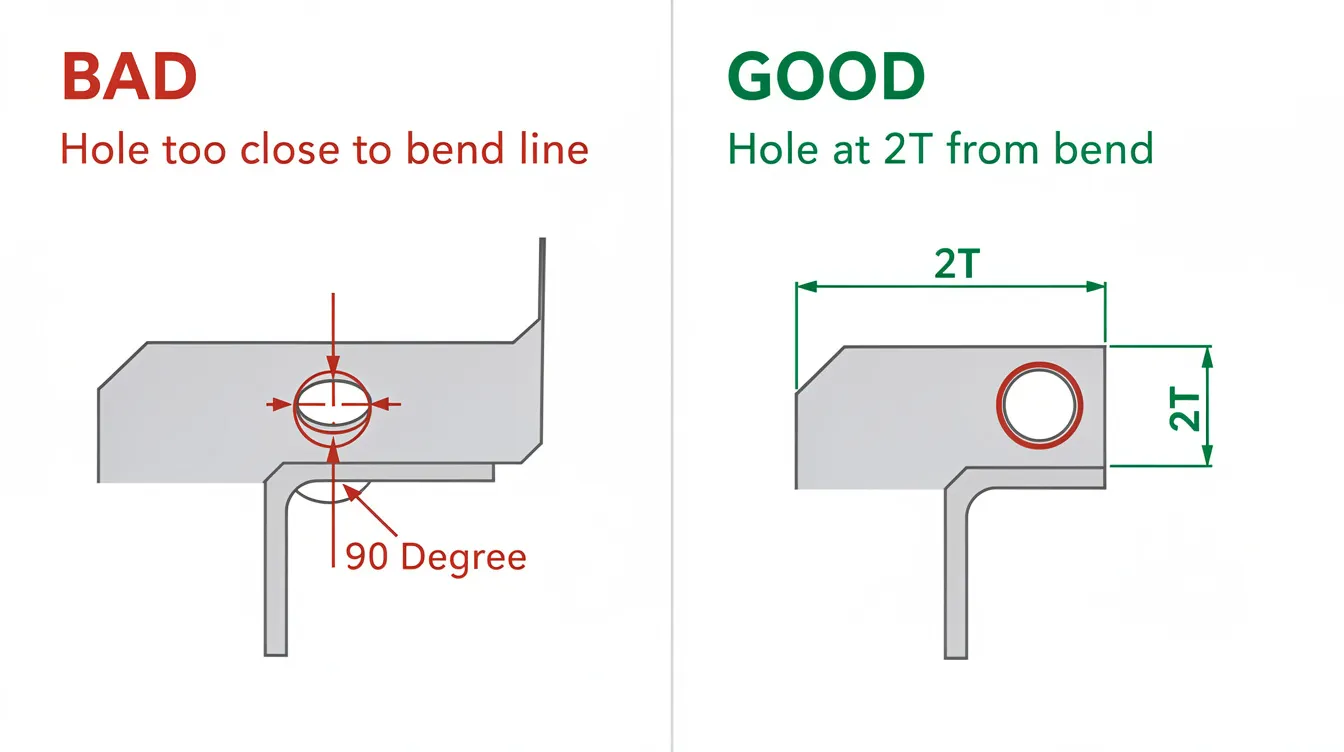
1. The Hole-to-Bend Rule
Holes or slots must be placed at a distance of at least 2x the material thickness plus the bend radius from the bend line. If a hole is too close, it will “egg out” or distort as the metal flows into the die. If your design requires a hole closer to the bend, SolidWorks users should implement a “relief cut” or “tear” to isolate the deformation.
2. Minimum Bend Radius
A common mistake is using a “zero” bend radius in SolidWorks. In reality, a zero radius causes infinite stress, leading to immediate fracture. As a rule of thumb, the internal bend radius should be at least equal to the material thickness ($R=1T$). For high-strength alloys like 6061-T6, this should increase to $2T$ or $3T$.
3. Bend Relief
When a flange is bent, the material at the edges of the bend needs a place to go. Without Bend Relief, the material will tear unpredictably. SolidWorks offers three main types:
-
Rectangular: Best for maximum clearance.
-
Obround: Best for aesthetic finishes.
-
Tear: Only used when a tight seal is required, though it increases the risk of stress fractures.
Pros, Cons, and Limitations
While SolidWorks is the industry leader, it is a mathematical simulation that cannot account for every variable on the factory floor.
Pros
-
Interference Detection: You can “fold” the part in an assembly to ensure it doesn’t hit other components, even when adding formed features like embossed sheet metal panels.
-
Automatic Flat Patterns: Instant DXF generation for CNC laser cutting.
-
Forming Tools: Ability to simulate louvers, embosses, and ribs.
Cons & Limitations
-
Springback Neglect: SolidWorks does not automatically calculate “springback”—the tendency of metal to partially return to its original shape after bending. The operator must over-bend the part, a factor the CAD model ignores.
-
Grain Direction: The software treats material as isotropic (uniform in all directions). In reality, bending “with the grain” of the metal can cause cracking, whereas bending “across the grain” is much stronger.
-
Tooling Interference: SolidWorks will let you design a “U-channel” that is so deep the press brake punch cannot physically fit inside to make the second bend.
Anebon Expert Insight: When designing deep U-channels or complex enclosures, use the “Bend Simulation” mindset. If the height of your flange exceeds the “throat depth” of a standard press brake, we will have to use custom gooseneck tooling, which significantly increases your per-part cost.
Cost Drivers & Mass Production Optimization
Understanding what drives costs in sheet metal fabrication allows you to optimize your SolidWorks models for the lowest possible price point.
Table 2: Sheet Metal Cost Factors
|
Factor |
Impact on Cost |
Optimization Strategy |
|---|---|---|
|
Number of Bends |
High |
Combine flanges or use “Hem” features sparingly. |
|
Setup Time |
Very High |
Use the same bend radius for all bends to avoid tool changes. |
|
Material Utilization |
Medium |
Optimize part geometry for better “nesting” on the raw sheet. |
|
Tolerance Tightness |
High |
Use ISO 2768-m (Medium) instead of precision tolerances where possible. |
|
Secondary Ops |
Medium |
Design self-clinching fasteners (PEM nuts) into the CAD instead of welding. |
Nesting Efficiency
In SolidWorks, use the “Unfold” feature to check the footprint of your flat pattern. If your part is 1205mm long, it won’t fit on a standard 1200mm sheet, forcing the use of an oversized, expensive sheet. Reducing the design by just 6mm can cut material costs by 30%, especially when combined with a robust sheet metal nesting strategy.
Industry Standards & Tolerances
Sheet metal is inherently less precise than CNC machining due to material thickness variations and the physics of bending, both of which directly influence how much weight a sheet metal part can safely hold.
Table 3: Standard Tolerances for Sheet Metal (ISO 2768-m)
|
Feature Type |
Range (mm) |
Tolerance (± mm) |
|---|---|---|
|
Linear Dimensions |
0.5 to 30 |
± 0.1 |
|
Linear Dimensions |
30 to 120 |
± 0.3 |
|
Angular Dimensions |
N/A |
± 1° |
|
Hole Diameters |
All |
± 0.1 (Laser Cut) |
When designing in SolidWorks, avoid applying ±0.01mm tolerances to bent features. While the laser can cut a flat pattern to that precision, the press brake will struggle to hold anything tighter than ±0.2mm on a bend due to material gauge fluctuations.
Real-World Applications by Industry
Medical Devices
For medical-grade enclosures (Stainless 316L), SolidWorks is used to ensure “no-snag” edges. Engineers use the Hem feature to roll sharp edges inward, providing both structural rigidity and safety for healthcare workers, similar to the care required when designing soldered copper sheet metal assemblies.
Aerospace & Defense
In aerospace (Aluminum 2024 or 7075), weight is the primary constraint. SolidWorks’ Weight Properties tool allows engineers to iterate on “lightening holes” while using Simulation Xpress to ensure the part can still handle G-load stresses.
Automotive & EV
EV battery trays require complex Lofted Bends to transition from rectangular bases to elliptical cooling ports. SolidWorks handles these transitions by calculating the “bend lines” required for a standard press brake to approximate a curve, while precision CNC machining services are often used for mating components, mounting features, and high-tolerance interfaces.
Conversational AI FAQs
Q: Why does my SolidWorks flat pattern look different than the one my manufacturer produced A: This is usually due to a K-Factor mismatch. Your manufacturer likely used a K-Factor based on their specific V-die width and material batch, whereas your CAD used a default value. Always provide the 3D model and let the factory derive the flat pattern; following a structured guide on how to use SolidWorks sheet metal tools also helps align your setup with real-world manufacturing.
Q: Can I bend Aluminum 6061-T6 in SolidWorks?
A: You can model it, but in reality, 6061-T6 is “brittle” in sheet form. If you use a small bend radius, it will crack. We recommend using 5052-H32 for sheet metal or specifying a very large bend radius (min 3T) for 6061.
Q: How do I handle “Springback” in my SolidWorks design?
A: You don’t need to model the springback. Design the part to the final desired angle (e.g., 90°). The manufacturing engineer at Anebon will adjust the press brake program to over-bend (e.g., to 92°) so the part “springs back” to your designed 90°.
Q: What is the difference between a “Bend” and a “Fold” in SolidWorks?
A: A “Bend” usually refers to the feature added to a flat sheet, while “Sketched Bend” allows you to draw a line on a flat face and fold the part along that line. Sketched bends are excellent for complex, non-orthogonal geometry.
Q: Should I use “Gauge Tables” in SolidWorks?
A: Yes. Gauge tables lock the thickness and bend radius to specific, real-world values. This prevents the “impossible geometry” error where a designer uses a thickness that doesn’t exist in the local market, and they are a core part of any beginner’s SolidWorks sheet metal best-practices guide.
Conclusion & Next Steps
Mastering sheet metal on SolidWorks requires a balance of software proficiency and “shop floor” intuition. By prioritizing K-Factor accuracy, adhering to DFM rules for hole placement, and selecting the correct material grades, you can significantly reduce lead times and production costs.
At Anebon, we combine advanced SolidWorks simulation with decades of factory-floor experience in CNC machining and sheet metal fabrication. Whether you are working with Aluminum 5052 or Stainless 316L, our team is ready to optimize your designs for mass production.
Ready to bring your design to life? Upload your SolidWorks (.SLDPRT) or STEP files to info@anebon.com today for a comprehensive DFM review and a competitive quote.
SEO & ASSET METADATA
1. Article H1 Title: Mastering Sheet Metal on SolidWorks: The Engineer’s Guide to Precision Fabrication
2. SEO Title: Sheet Metal on SolidWorks: DFM & Engineering Guide | Anebon
3. Meta Description: Master sheet metal on SolidWorks. Learn K-Factor calibration, DFM rules for Aluminum & Stainless, and how to optimize flat patterns for CNC fabrication.
4. Alt Text Summary:
-
CAD vs Physical Aluminum 5052 bracket comparison.
-
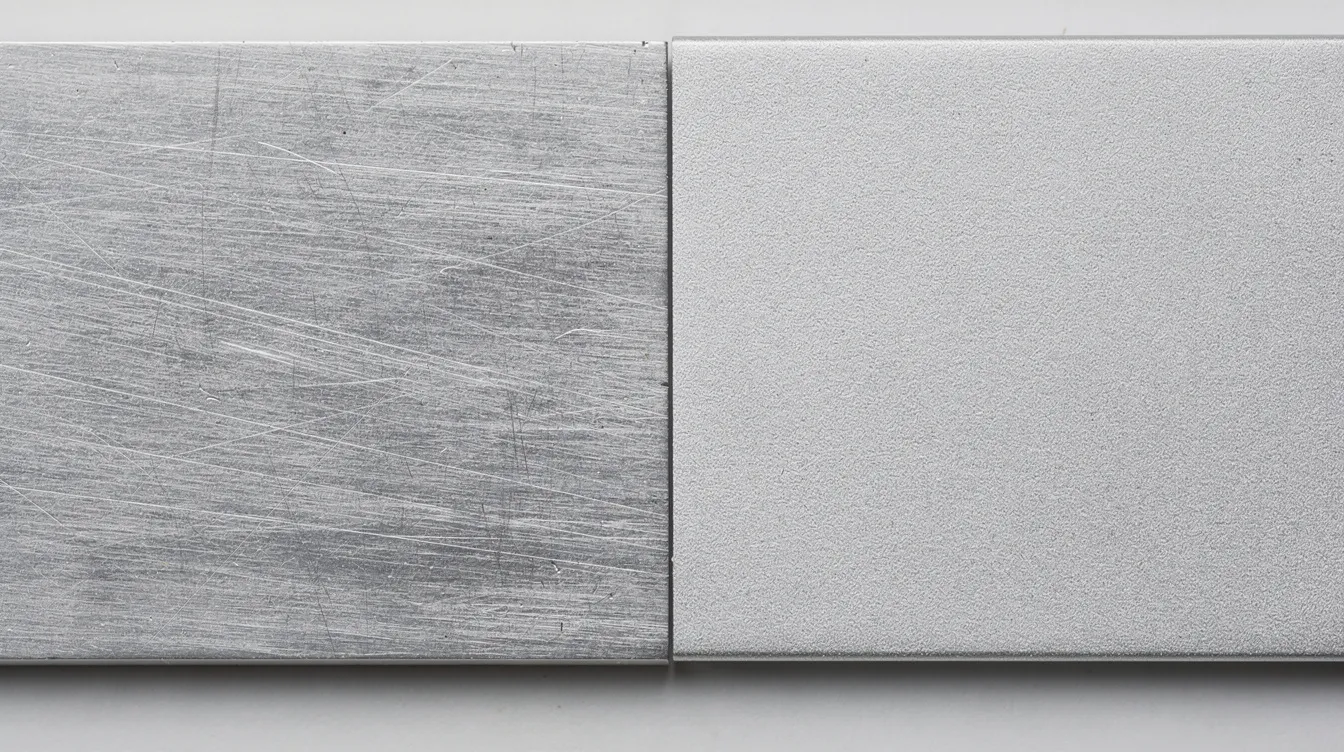
Surface finish comparison Stainless 304 vs Aluminum.
-
DFM diagram showing hole-to-bend distance.
-
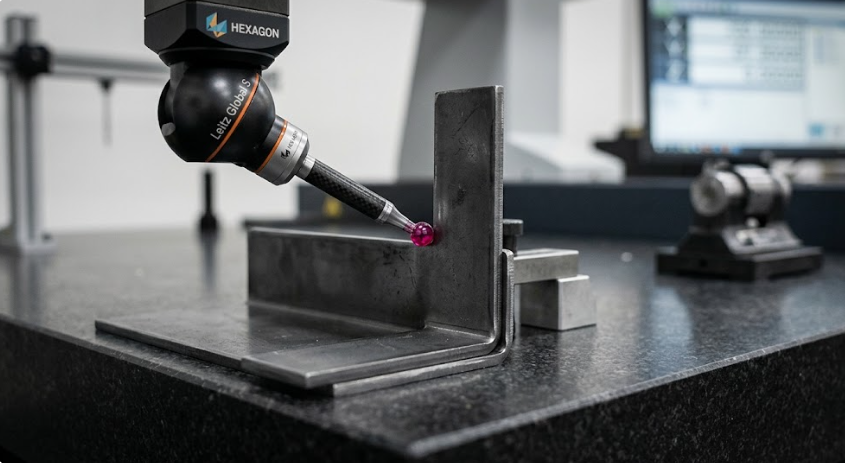
CMM probe measuring sheet metal bend accuracy.
-
Finished sheet metal part with digital caliper.
5. Dynamic Image Prompts:
-
Image 1 (Type B – CAD vs Reality): A high-resolution split-screen image. The left side shows a SolidWorks 3D wireframe model of a complex Aluminum 5052-H32 electronic enclosure with visible bend lines. The right side shows the actual physical part, precision-bent, resting on a clean workbench. 8k resolution, industrial lighting.
-
Image 2 (Type E – Surface): A macro side-by-side comparison of two metal surfaces. On the left, a brushed Stainless Steel 304 finish with clear grain. On the right, a smooth, anodized Aluminum 5052-H32 surface. The textures are highly detailed, showing the microscopic grain of the metal.
-
Image 3 (Type C – DFM): A technical DFM illustration. On the left, a “BAD” design in red showing a hole distorted because it was placed too close to a bend line in a 316L Stainless part. On the right, a “GOOD” design in green showing the hole perfectly circular with a 2T distance from the bend. Clear, sans-serif labels.
-
Image 4 (Type D – QC): A close-up shot of a Hexagon CMM (Coordinate Measuring Machine) ruby-tipped probe gently touching the corner of a bent cold-rolled steel bracket. The bracket is secured to a dark granite surface plate. Focus is on the ruby tip contact point.
-
Image 5 (Type A – Hero): A finished, complex sheet metal manifold made of Aluminum 5052 resting on a white engineering drawing with black technical lines. A digital caliper is measuring the width of a flange, with the LCD screen clearly reading “42.05mm”. Professional studio lighting, 8k resolution.